Technical Parameters:
- Product Name:DMX 512 decoder with digital display
- Model Number: DP-01(3CH RGB) / DP-02 (4CH RGBW )
- Working temperature: -20-60 ℃
- Supply voltage:DC12~24V
- Output current: 4A/ 8A (optional)
- Output power: 4A each channel 12V:<144W, 24V:<288W (3 Channel)
8A each channel 12V:<288W, 24V:<576W
4A each channel 12V:<192W, 24V:<384W (4 Channel)
- Output: 3 channels / 4 channels
- DMX 512 standard: DMX512/1990
- Accessories: 1 pair of DMX512 IN and DMX512 OUT connectors
- External dimension: L177×W42×H33mm
- Packing size: L180×W95×H60(mm)
- Net weight: 200g
- Gross weight: 245g
Connection description:
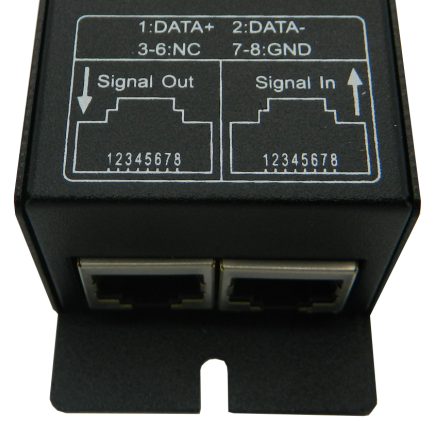
DMX Input/output interface:
DMX Input/output interface:RJ45 Port
 RGB
RGB 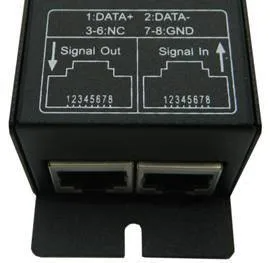 RGBW
RGBW
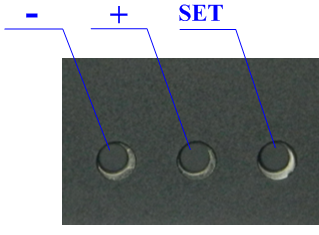
Address code and function Setting Button:
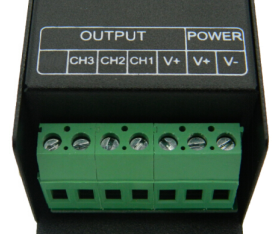
Power input and Load output interface: Used plug with screw.
 RGB
RGB 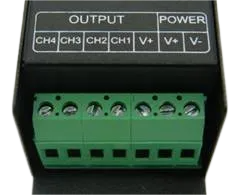 RGBW
RGBW
Direction for use
Adopt the 4 numbers digital tube, and with three button to setting the address code.Each Decoder occupy 4 address code.The first number on the digital tube is to show the Function symbol,it have A,H,or S letter optional, and the last three number is to show the arabic date from 001-512.
When the fist letter shown “A”,Its on the DMX512 State,means that this decoder is under the DMX512 Signal control state, at this time connect the decoder to the DMX console with network cable, it can be controlled by the DMX console.if the digital tube shown “A001”,means that the first of the address code is 001,and the other three channels are Corresponding to 002,003,004. If connected this decoder with the other decoder,then the other decoder’s first address code is 005,and the others 3 channels of it is 006,007,008.It can be connected with numbers of decoder,and can be controlled alone.
If two or several decoder’s address code are the same , means that these same address code decoder are changing in the same effect, and they can be realize synchronous controlled effect.
- When the fist letter shown “H”,it will be in the built-in mode function,means that this decoder will be working in the built-in program.the build-in models are as below:
|
Show symbols
|
Mode
|
Show symbols
|
Mode
|
|
H-00
|
Turn OFF output
|
H-05
|
Static purple
|
|
H-01
|
Static red
|
H-06
|
Static cyan
|
|
H-02
|
Static green
|
H-07
|
Static white
|
|
H-03
|
Static blue
|
H-08
|
Seven color jump(speed adjustable)
|
|
H-04
|
Static yellow
|
H-09
|
Seven color fade(speed adjustable)
|
- When the first letter shown “S”,it will be in the built-in speed setting statefunction, at this state just the H-08 and the H-09 are valid,press the SET button lightly to enter the speed adjustable state,then press the button +/- can be realize the 11 level speed option. Others functions are no effective.
- Key function specification:
There are three buttons (Button 1: SET ,Button 2:- Button 3:+)on the decoder,the function of them are as below:
-
Button SET:Mode switch key,press this key last for about 2 seconds,can be switch from function A to function H (function H to function A),press SET Button lightly can be switch from function H to function S(function S to function H)
-
Button +:increase button,the last three number of the digital tube will be increase one when press the + key each time.If want to make the address code increase rapidly,just simply need to press this key last for some time.(Remarks :the max address code is 512,if it appear 512 and still press + key, it will be return back to 001) ;
-
Button - :decrease button,he last three number of the digital tube will be decrease one when press the - key each time.If want to make the address code decrease rapidly,just simply need to press this key last for some time.
Typical Applications:
RGB 3 CHANNEL :
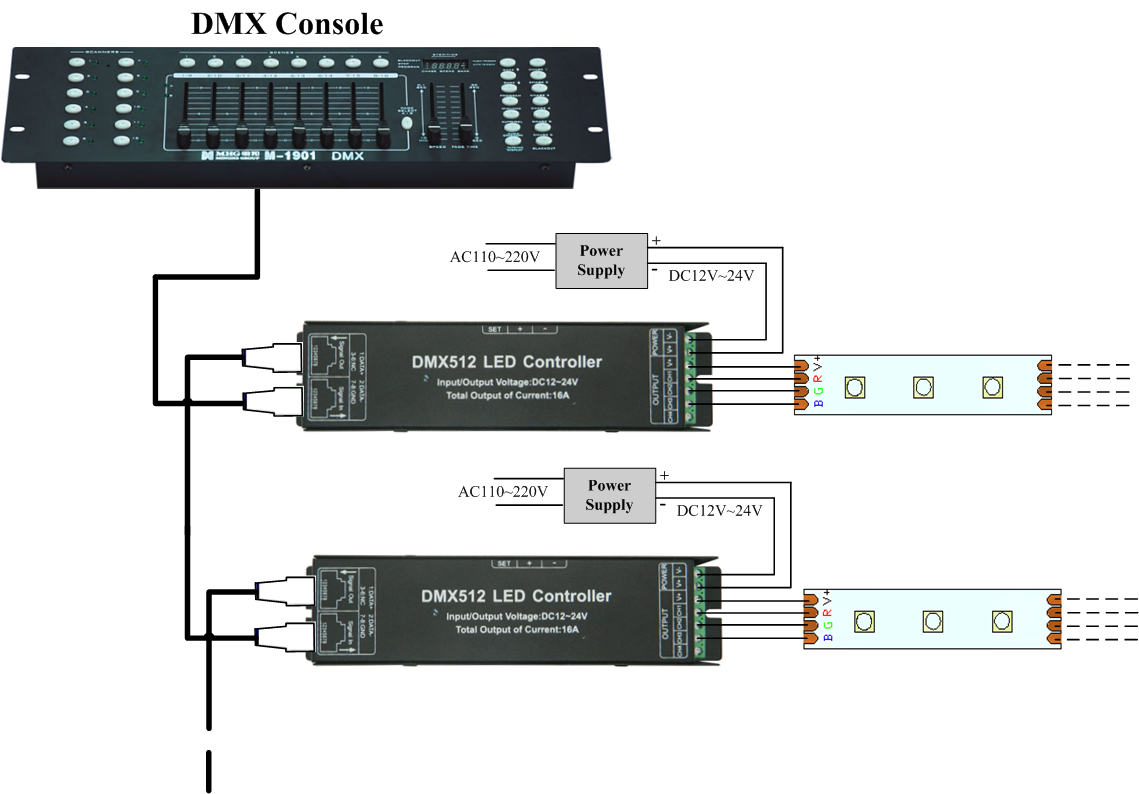
RGBW 4 CHANNEL :
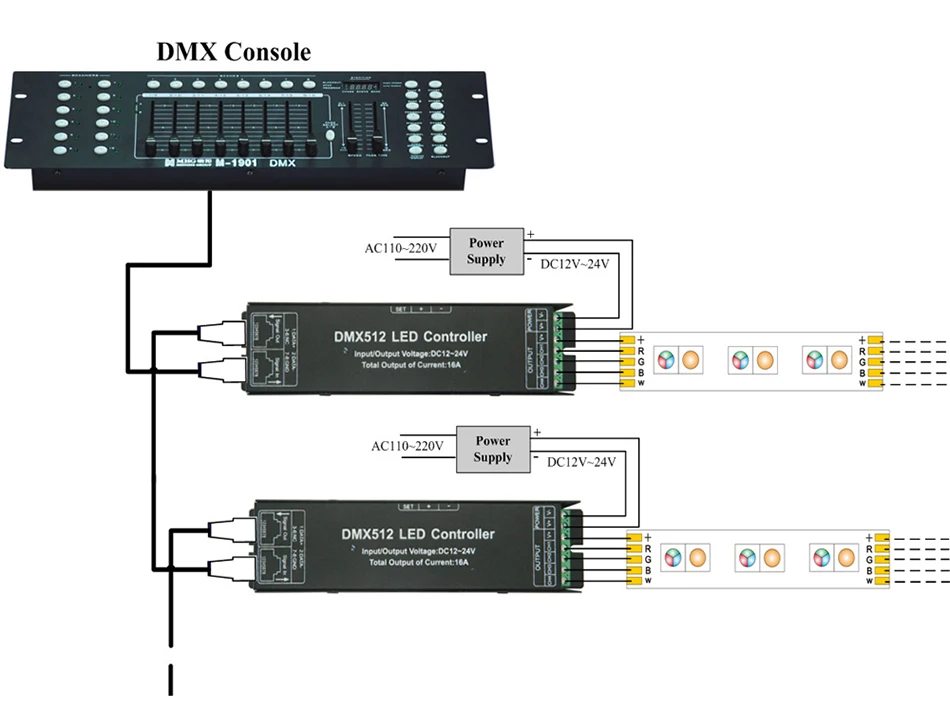
Attention:
1. This products Input voltage is DC12V-24V,other input voltage are not allowed.
2. Lead wire should be connected correctly, according to the wire color and the connecting diagram offers.
3. Please do not overload, the total max output current is 4A/CH.
4. Please ensure that adequate sized cable is used from the controller to the LED lights to carry the current.
Please also ensure that the cable is secured tightly in the connector.
Application:


 RGB
RGB  RGBW
RGBW 
 RGB
RGB  RGBW
RGBW


